
Smart Display with Voice Commands
About the Smart Display with Voice Commands Workshop
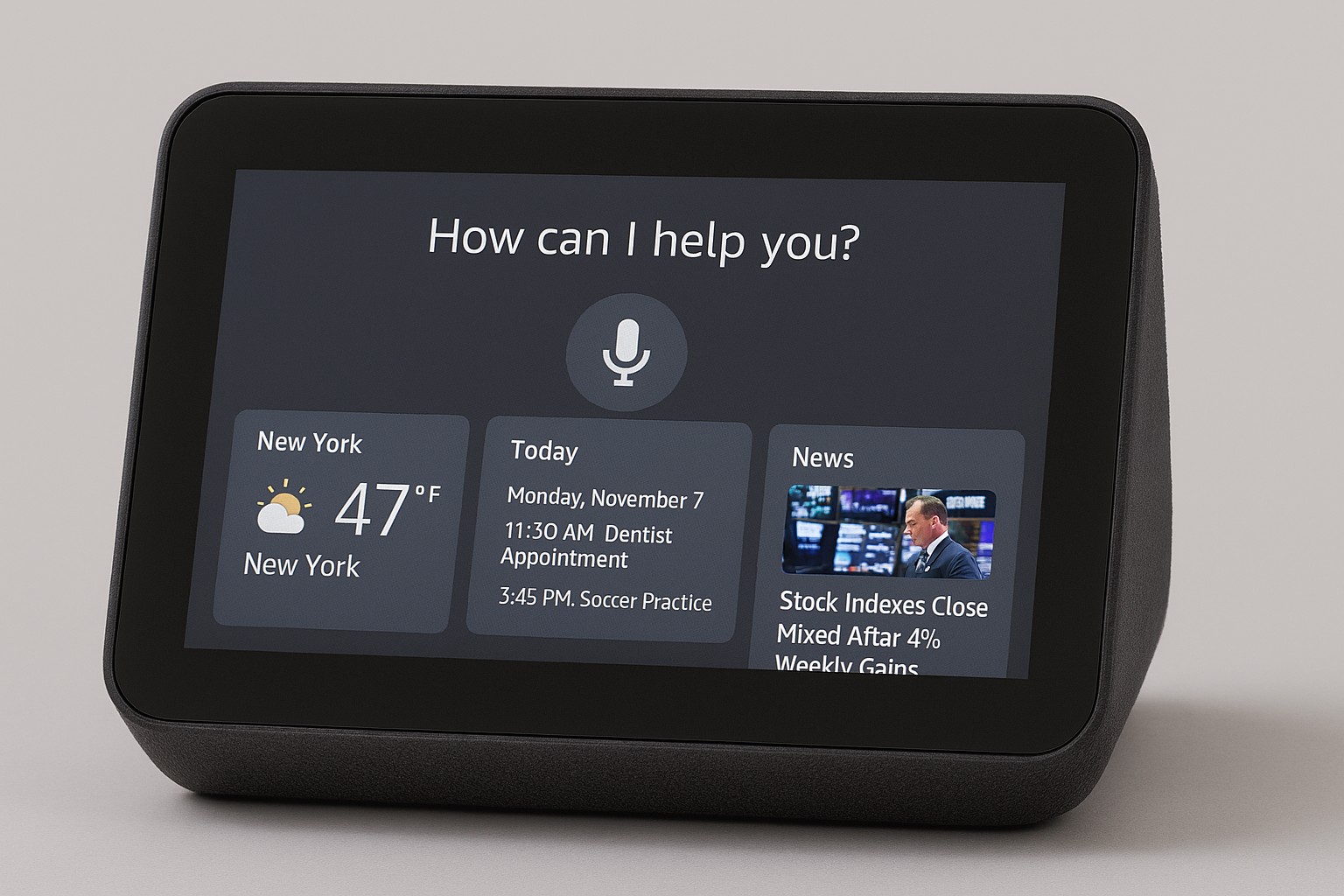
The Smart Display with Voice Commands Workshop is a fully practical, project-based training designed to teach participants how to build an interactive smart display that responds to natural voice commands. This workshop is ideal for beginners, tech enthusiasts, coding students, IoT hobbyists, and innovators interested in modern AI-powered interfaces. By the end of the workshop, every participant will create a functional smart display capable of showing news, weather, reminders, and more — all triggered through voice commands.
🧩 Workshop Modules – Smart Display with Voice Commands
📘 Understanding Voice Assistants
Learn how speech recognition works, how devices process voice commands, basics of NLP, API-driven responses, and the core architecture behind smart voice interfaces like Alexa and Google Assistant.
🖥️ Smart Display UI Development
Build a responsive smart display interface showing news, weather, date, calendar, messages, and more using Python, HTML, or GUI frameworks based on project choice.
🎤 Voice Command Processing
Implement voice-to-text processing, command detection, keyword triggers, microphone input handling, and mapping spoken commands to display actions.
🌐 API Integration & Data Fetching
Fetch real-time data from APIs (weather, news, calendar, reminders), parse results, display information, and refresh content dynamically based on voice instructions.
📟 Hardware Integration
Connect the display screen, microphone module, speakers, Raspberry Pi or microcontroller, and ensure smooth communication between software and hardware components.
⏳ Workshop Duration
The workshop can be completed within 3 to 5 days depending on the selected track:
Day-1: Speech recognition basics + UI layout
Day-2: Voice command programming
Day-3: API integration + data display
Day-4: Hardware assembly + final testing
📘 What You Will Learn in the Smart Display with Voice Commands Workshop
🎤 Speech Recognition Basics
Learn how microphones capture audio, how speech is converted to text, keyword recognition, and real-time voice command execution.
💻 Python for Voice Processing
Use Python libraries to process voice inputs, integrate APIs, map commands to actions, and build the backend logic for the smart display.
🌐 API Data Fetching
Fetch weather, news, date, time, calendar events, and other real-time information using APIs and display them dynamically.
🖥️ Smart Display UI Design
Create a clean, modern user interface for your smart display. Learn layout logic, data rendering, and dynamic content updates.
🔌 Hardware & Device Integration
Configure the display screen, microphone module, speaker output, and Raspberry Pi or microcontroller connection for seamless operation.
🧪 System Testing & Optimization
Test your voice-only commands, ensure accurate responses, optimize speech recognition, and improve display performance for smooth output.
🎯 Key Skills You Will Gain in the Smart Display with Voice Commands Workshop
🎤 Voice Recognition Implementation
Learn to use speech-to-text engines, capture microphone audio, detect commands, and process spoken instructions.
💻 Python Automation & Backend Logic
Gain strong programming skills for building event-driven logic, integrating APIs, and handling dynamic display updates.
🖥️ Smart Display Interface Design
Build clean UI elements to show news, weather, time, alerts, and custom data organized in a smart display format.
🌐 Real-Time API Integration
Connect your device with online services, fetch data like weather or news, parse JSON responses, and update the UI automatically.
🔌 Hardware Configuration
Learn how to connect and configure displays, microphones, speakers, Raspberry Pi or microcontrollers, ensuring smooth functionality.
🛠 Troubleshooting & Debugging
Identify and fix common voice detection issues, API errors, hardware connectivity problems, and display rendering bugs.
👥 Who Can Join the Smart Display with Voice Commands Workshop?
🎓 Students
Perfect for school and college students interested in AI, voice assistants, coding, or interactive smart systems.
🎮 Hobbyists & Makers
Great for electronics, Raspberry Pi, and DIY enthusiasts who want to build smart gadgets with voice control.
🏫 Engineering & IT Students
Ideal for CSE, IT, AI/ML, IoT, ECE, and Robotics departments looking to explore real-world voice-enabled projects.
🤝 Tech Clubs & Innovation Cells
Perfect for coding clubs, IoT groups, AI cells, and innovation teams for hands-on project-based learning.
🗣️ Voice Tech Enthusiasts
Anyone curious about voice recognition, smart home devices, or next-gen human–computer interaction can join.
🌟 Benefits of the Smart Display with Voice Commands Workshop
🖥️ Build a Fully Functional Smart Display
Create a working smart display capable of showing weather, news, calendar events, system alerts, and more.
👐 Real-Time Hands-On Experience
Learn by building, wiring, programming, and testing — 100% practical learning with guided support.
🎤 Learn Real Voice Command Systems
Understand how voice assistants work by implementing actual speech recognition and command processing.
📜 Certification of Completion
Receive an official certificate from MMTimes, boosting your resume, portfolio, and career opportunities.
💡 Creativity & Innovation Boost
Get exposure to AI, IoT, human-computer interaction, and voice-enabled technology used in modern smart devices.
🤝 Team Project Experience
Collaborate with peers, practice teamwork, build components together, and solve real technical challenges.
🚀 Future Scope — Smart Display with Voice Commands Workshop
🤖 AI & Voice Assistant Development
Work on building intelligent assistants like Alexa, Google Assistant, or custom voice-interactive systems.
🌐 IoT & Smart Home Automation
Develop advanced smart home dashboards, automation systems, IoT control hubs, and real-time monitoring interfaces.
🗣️ Speech Recognition Engineering
Enter the world of STT (speech-to-text), NLP pipelines, wake-word systems, and interactive audio-based technology.
📺 Human–Computer Interaction (HCI)
Explore UI/UX for voice-enabled displays, gesture + voice control, and next-generation interactive interfaces.
📊 Dashboard & Information Systems
Design real-time dashboards showing weather, news, alerts, analytics, and live API-based data.
🏭 Industry Tech Development
Build smart displays for retail, automation, hospitals, corporate spaces, transportation, and industrial monitoring.
💼 Startup Opportunities
Create smart devices, IoT products, voice-controlled dashboards, or custom assistant solutions for clients.
🚀 Ready to Start Your Smart Display Journey?
Join the Smart Display with Voice Commands Workshop and build your own interactive voice-powered information display using real-time APIs and AI.